How toBefore you start
Before you start
A few minutes the day before saves a lot on the bank. Here is what to have ready.
Put the app on every device
FloStyle is free on the App Store and Google Play. It runs on iPadOS and iOS 17 or later and Android 10 or later.
Every judge needs it on their own phone or tablet. A judge who cannot install it can open their seat link in a web browser instead.
Decide which device is the hub
At an official competition every judge's device connects to one hub, and the hub keeps the competition. That is either the chief judge's tablet or a laptop running the FloStyle desktop app.
A local competition needs no hub: it lives on the one tablet it is judged on.
Good to knowA tablet is the simplest hub. It sits on the bank with the chief judge, and keeps the screen awake while it hosts.
Plan the network
The hub and every judge have to be on the same network. The easiest is a hotspot from a phone or the hub tablet: turn it on and join every device to it. FloStyle needs no internet at all to run the day.
Venue Wi-Fi works too, as long as the devices on it can see each other. Some guest networks keep devices apart, and then judges cannot reach the hub.
Gather what you will need
Have these to hand before you start:
- the competition name, date and venue;
- the classes you are running (MK1, WK1 and so on);
- the entry list: bib, first name, last name, nation and class for each paddler;
- the rounds for each class, and how many runs each;
- how many judges are on the panel.
If the entries are already in a spreadsheet, the spreadsheet guide is the quickest way in.
Pick a mode on the hub
The first time FloStyle opens it asks how the device will be used. Pick Local competition for one tablet and one judge, or Official competition for a panel.
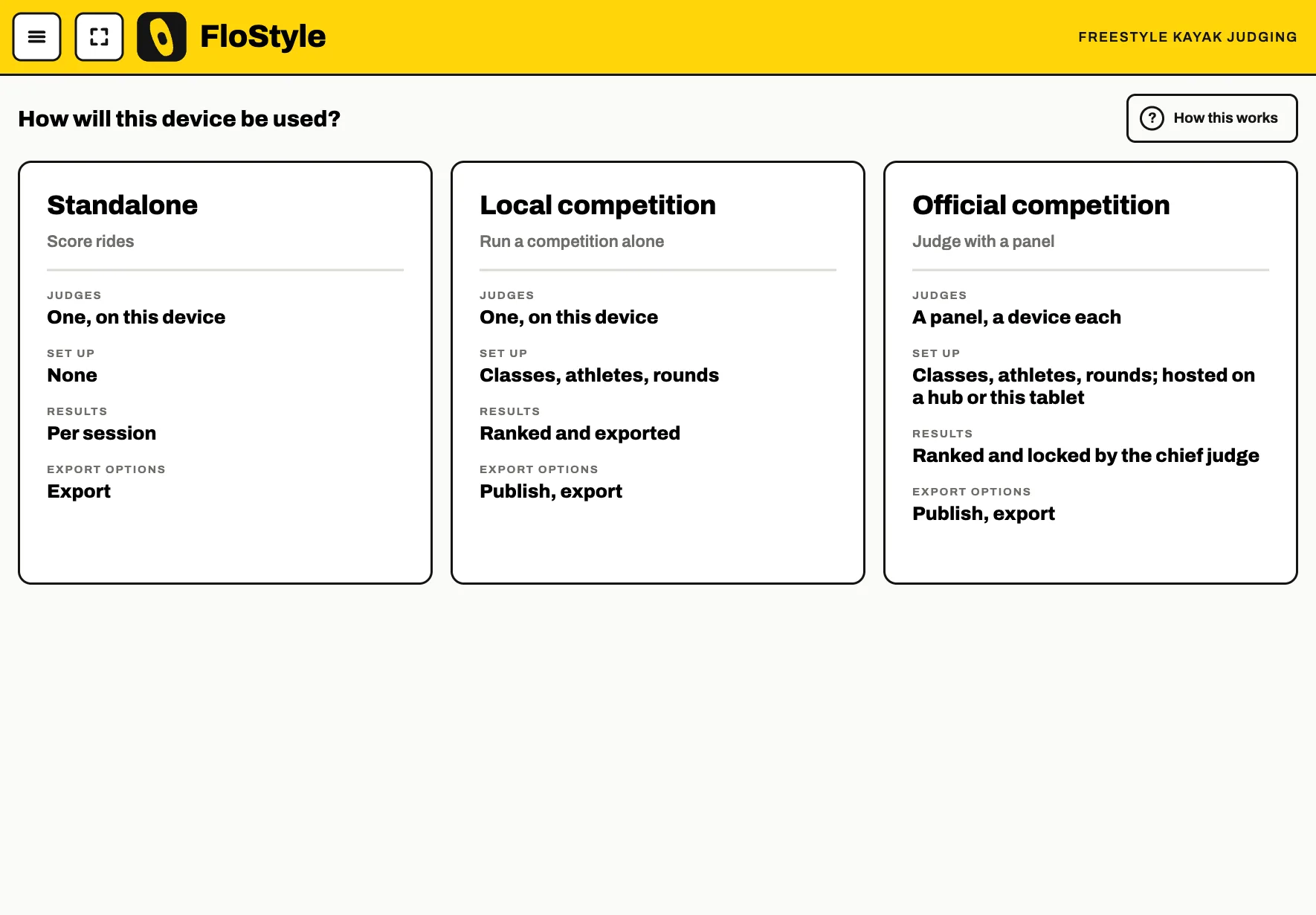
Judges do not need to pick anything: opening their seat code takes them straight to their seat.